









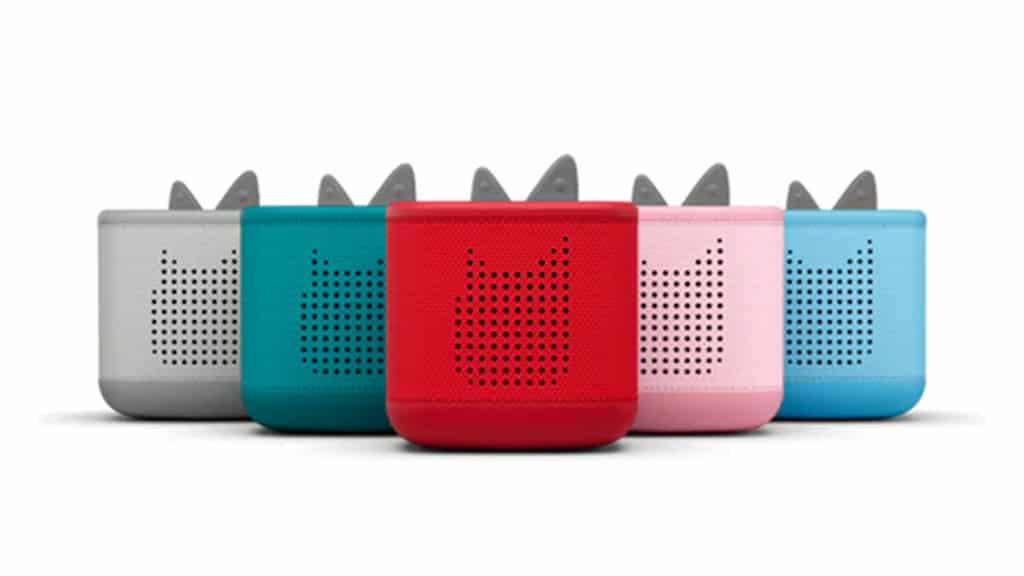
Over the past few weeks we have been using the Toniebox 2 in our house. Getting this device off the ground was a bit more work than I would have liked, but most of that was my own fault for moving too quickly through the tutorials and not actually reading them. Even before the Toniebox arrived, though, I had to ask: what is a Toniebox, what are Tonies, and why should I care?
The Toniebox is a screenless entertainment device for kids, that provides lots of interactions with no screens. Screen time in children is on the rise. According to the American College of Pediatricians: “researchers found children between 0 and 2 years of age increased screen time from 1.32 hours each day in 1997 to 3.05 hours in 2014.” The Toniebox is definitely a device aimed at home use, and while it can be transported, I found it notideal. In my opinion this is fine, as your home poses the biggest temptation for screen time use.
The Toniebox competes with other products like the Yoto Player and shares the same end goal: to entertain kids while getting them off screens like phones and TVs. The Toniebox does that really well in my opinion, especially when it comes to play functionality. The Toniebox is as much a toy as it is a listening device. There are many fantastic games you can play on a Toniebox that are both fun and educational, and great for the whole family.
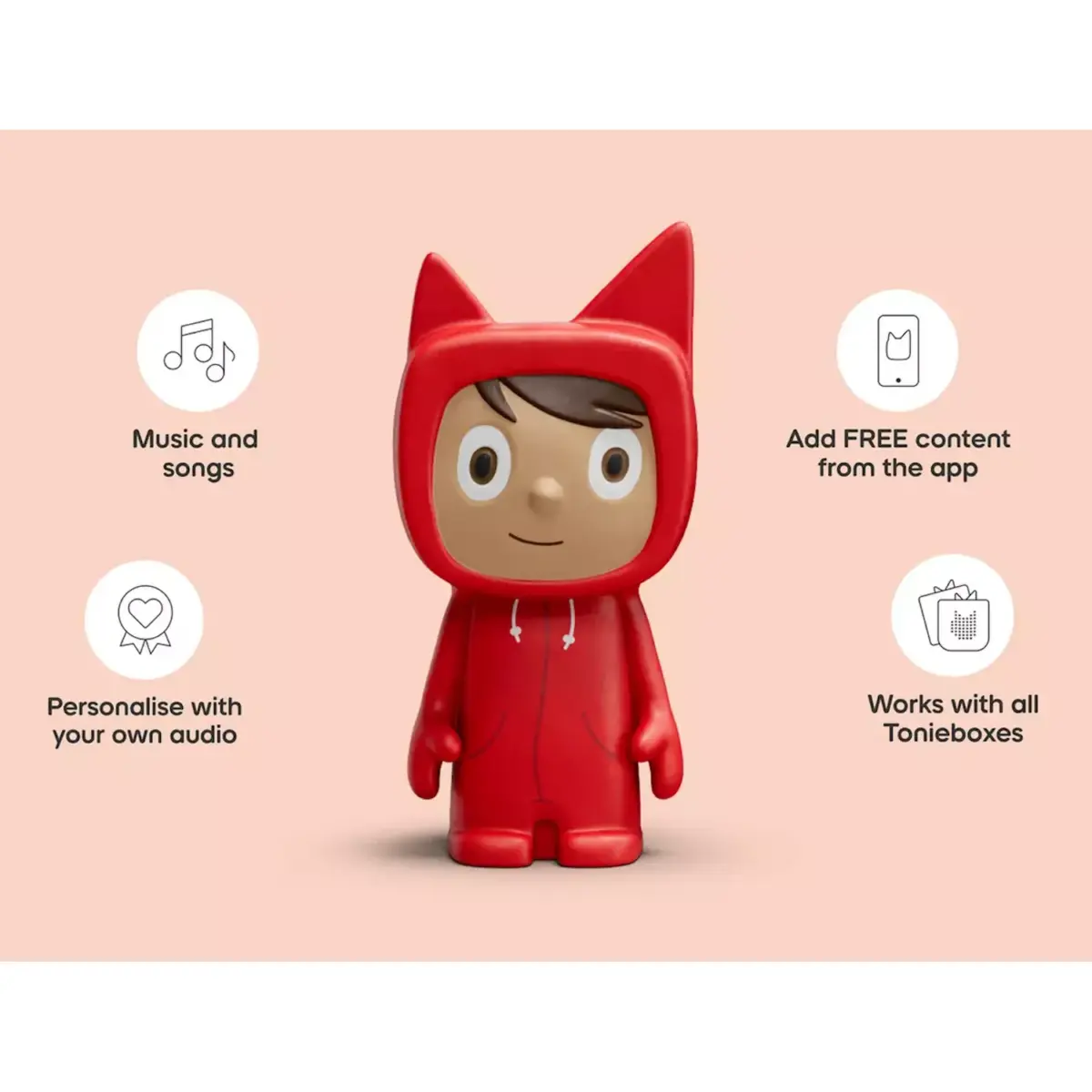
Toniebox’s operate with Tonies, little figures that store games, music and stories. To get the content to play, the figures are placed on top of the Toniebox and whatever is stored on the figure will begin to play. The Zootopia figure we reviewed played “Try Anything” and “Zoo” from Shakira, as well as audio books of both Zootopia 1 and Zootopia 2. You can purchase similar figures for a wide variety of Disney properties, as well as other popular media like Captain Underpants and the Babysitters Club.
We have a few Tonies provided to us, and have been enjoying them. When you explore the Tonie marketplace, there is something for everyone with a massive list of things to purchase. There is some free content as well which is nice to see.
The issue I have with these products – and it is the same issue I have with similar products – is that the content is quite expensive. A single Tonie is going to run you about $19.99 USD and each (generally) has a few stories and a few songs for kids. I think the idea of little plastic toys that your kids can play with and put onto the device is really appealing, but it comes at a cost.
As I used the Toniebox over the past few weeks, there is one thing I’m just not a huge fan of. You can purchase something called a Creative Tonie that allows you to upload your own audio to a figure and play it on the Toniebox. This is a really cool feature and allows our family members who don’t live nearby to create some audio books for us. There are limited to 90 minutes of content, and sometimes I just need more than that for while my kids are laying in their beds or playing LEGO in the basement. While that’s a nifty feature, I do wish the Toniebox had Bluetooth capabilities, so I could connect my Audible or Spotify to the device directly, allowing for longer audio sessions. I know this probably sidesteps the company’s mission of providing safe entertainment for kids (Bluetooth opens up a world of possibilities that cannot be controlled) but the inclusion of Bluetooth would make this device last long past when my child ages out of the toys and younger books.
Another thing I was surprised by was that the package did not include a charging brick. The device charges via USB-C which is phenomenal, and includes a USB-C cord in the box. The cord itself is incredibly short, so you’ll need to place it right next to an outlet. That really isn’t the biggest problem though, as that is reserved for the lack of a charge brick. I’m not sure homes have as many USB-C charge bricks as perhaps the Tonie team thinks we do, and would have loved to see one included in the box.
Problems aside, this is a device I can hand my child while cooking dinner and not have any worry in the world about what he might access or get into. Everything produced for the Toniebox is suitable for kids from ages 1 to whenever they age out of the product. It’s a fantastic design as well, and really robust. I have very few concerns about this product breaking, and the soft sides make it nice to hold and carry. Interacting with the device is easy as well, a combination of knocking the sides to skip or go back, and pressing the “ears” for volume. There are also a variety of accessories you can purchase for wrapping the Toniebox, storing and carrying the device, and even places to store Tonies.
This is a well built product with a ton of upside for parents with young kids. The frustrations I have with the device are completely tied into the desire to make a safe space for kids, which I completely understand. If you are still on the fence, stay tuned for a few product reviews we have planned around specific games and Tonie figures.
The Toniebox 2 lives in a different space than other screen-free devices aimed at kids. The Toniebox 2 definitely caters to a younger audience, those under the age of 10. The figures are meant to be fun to look at, interesting to play with, and easy to manipulate onto the device. Unlike devices that use cards, it is a lot harder to lose these figures, which is probably ideal when you give the device to 6 year old’s to use.

Adam has been writing about video games since 2014 and board games since 2018. If he's not rooting for the Toronto Maple Leafs or Toronto FC, he definitely has a controller in his hand - probably playing on a Nintendo platform - or is sitting at a table playing a board game. Adam also has firm opinions on a few key topics: there are much better board games than Settlers of Catan, and Nintendo doesn't need to compete with Sony and Microsoft.

Bulkhead Interactive has announced it is moving WARDOGS' early access release forward, with the tactical FPS now targeting a launch later this summer. The studio cited overwhelmingly positive feedback from…